
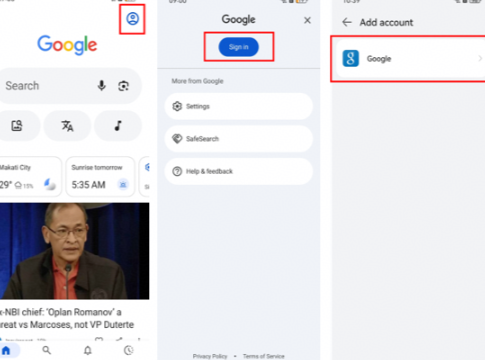
Buying a used Huawei phone can be a good deal until the device is reset and asks for an account that belongs to the previous owner. At that point, the hardware may be perfectly fine, but the phone is not ready to be transferred. The safest solution is to complete the ownership handover properly instead of treating the account screen as a software bug.
Check the phone before resetting it
If the seller can still unlock the device, ask them to remove their Google account and HUAWEI ID before the factory reset. They should also turn off account-related device protection where the normal settings allow it. Then reset the phone from Settings rather than using an unofficial utility.
This is the cleanest way to avoid the situation that sends many buyers searching for bypass google account huawei after the transaction is already finished.
If the reset has already happened
Do not keep resetting the phone repeatedly. Another factory reset will erase the same local data again but usually will not change the ownership check. Instead, contact the seller and ask them to sign in or remove the device from the account associated with it.
If the seller has forgotten the password, they should recover their own account through Google or Huawei. Once the account is confirmed, the phone can be transferred in a normal way.
When the seller cannot help
A genuine buyer should keep the purchase receipt, marketplace messages, IMEI or serial number, and any other record showing where the phone came from. Huawei support or an authorised service centre can explain what documentation is accepted in that market.
If there is no proof of ownership and the seller disappears, that is a serious warning sign. A third-party bypass tool does not resolve the ownership problem; it only adds another layer of risk.
Build the phone for your own use
After the device is legitimately activated, sign in with your own accounts and install the apps you need. The Huawei Community guide linked through bypass google account huawei covers Google-related setup and troubleshooting, which is useful after the transfer is complete.
For overseas use, test the local SIM, banking, maps, ride-hailing and messaging apps before travelling. A clean account handover makes future resets and updates much easier.